
Social Media Scheduler Inside Your CRM: Clientflow Australia
Clientflow includes a social media scheduler, Social Planner, inside the same platform that holds your CRM, inbox and calendar. You can schedule to Instagram, Facebook, LinkedIn, TikTok, Pinterest, YouTube, Threads, Bluesky and Google Business Profile, manage comments from Facebook, Instagram, LinkedIn, TikTok, Threads and Bluesky in one view, and track what each post produced, at no cost beyond the flat $345 a month.
A property services business posts because it has to. The buyers agent who wants to look present in the suburbs they cover. The stager showing the before and after of a vacant three-bedroom. The building inspector explaining, again, what a termite management system actually is. It is nobody’s full-time job, so it happens in bursts, and between the bursts the account goes quiet.
So you pay for a scheduler. Somewhere around $100 to $150 a month ex GST once you have a few users and more than a handful of channels. It queues posts, it works, and it has no idea who your followers are. Someone comments on the reel about pre-purchase inspections, then texts you a fortnight later for a quote, and those stay two unrelated events in two systems.
What follows is what Social Planner does, where its limits sit, and what changes when the scheduler and the contact record are the same software.
The networks, and what each connection supports
Social Planner publishes to Facebook, Instagram, LinkedIn, TikTok, YouTube, Pinterest, Google Business Profile, Threads and Bluesky, plus your own Clientflow community. What each connection lets you do matters more than the list of logos, and that is where schedulers thin out.
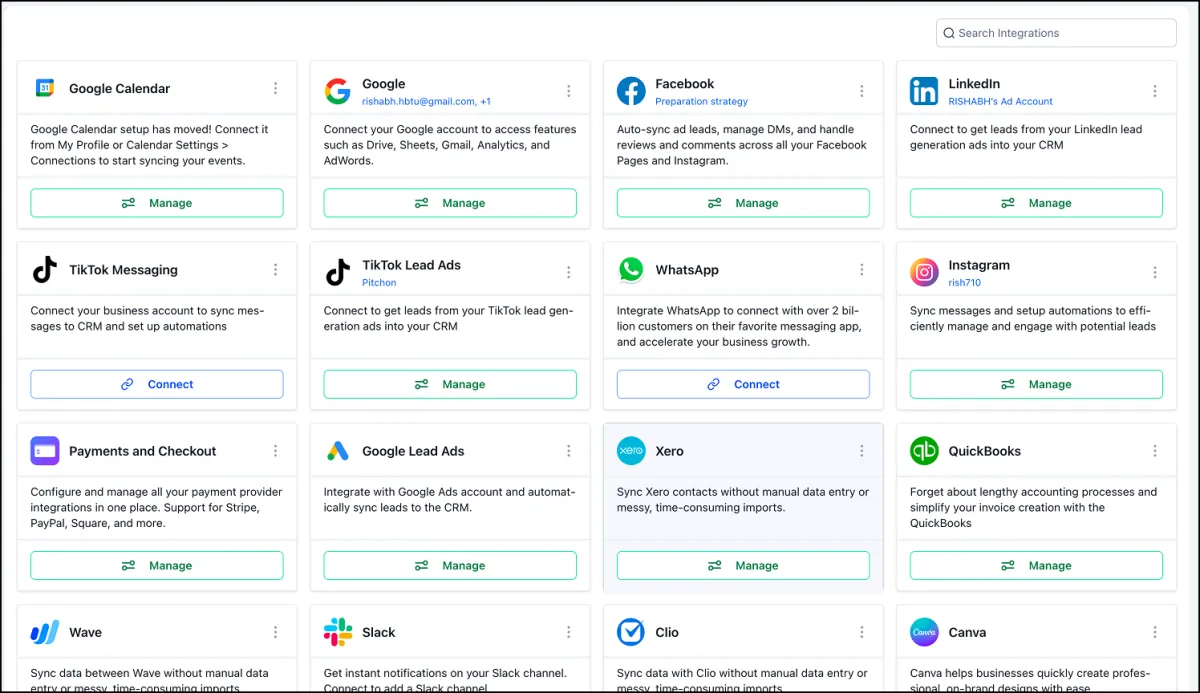
Instagram no longer needs a Facebook page behind it. A dedicated Instagram integration card appears under Settings, then Integrations, once the Labs feature is enabled, giving one view of every connected account, both new direct connections and existing page-based ones, with an account-level toggle for messaging and automations. Instagram Direct conversations sync into the CRM and Instagram interactions can drive workflows.

Read the limits first. An account connected through a Facebook page cannot be disconnected on its own, turning the direct connection on disables the page-based connection, and switching the messaging toggle off stops both messaging and automations.
Facebook’s text posts with native coloured backgrounds used to be something you went into Facebook to make. Select Facebook in the composer and a Text Background option appears, with colour presets and a live preview including automatic font resizing. Backgrounds apply to text-only posts, so adding an image or video disables the option.

Pinterest is where people plan a renovation or a styling job, and one pin can now go to as many as 25 boards in a single post rather than one post per board. Boards are selected in the composer under Marketing, Social Planner, New Post. Pinterest’s own media requirements are unchanged: one image up to 10MB, or one video up to 1GB running between four seconds and five minutes.
LinkedIn polls can be created, scheduled and published from Social Planner rather than natively on LinkedIn. The composer takes a question of up to 140 characters and two to four options of 30 characters each, running 1, 3, 7 or 14 days. Polls cannot carry images, video, PDFs or other media. Find it under Marketing, Social Planner, then Add Poll once a LinkedIn account is selected.

Getting a month of content scheduled in one sitting
Most small teams do not post daily. They sit down once a month, batch the content, and want it out the door in an afternoon.
Social Planner has an Advanced CSV option for scheduling large batches at once, covering Instagram Stories and Reels, Shorts, Google Business Profile, TikTok and Pinterest. The XLSX template carries platform-specific settings including post type, watermark, media optimisation, tags, categories, first comments, Pinterest board selection and YouTube privacy. It sits under Marketing, Social Planner, New Post, CSV Upload.
Bulk uploads also accept a thumbnailUrl column, which applies the specified image as the thumbnail for the first video in each post during the upload, so thumbnail selection happens at the scheduling step rather than post by post afterwards. The sample templates already include it, and behaviour varies a little between platforms.
Then there is content you have already made. Category Queues automatically re-schedule previously published posts tagged with a category, on a repeating basis, so evergreen tips, promotions and blog links keep circulating. Queues can be paused, resumed or deleted at any time, and queued content stays editable before it posts. For a building inspector, twelve explainer posts about what an inspection covers are worth running four times a year.
RSS feed publishing handles higher feed counts per cycle, and posts distributed that way pick up the click tracking described below.
The parts most schedulers leave to you
A scheduler that only schedules leaves the rest of the job in other apps.
Comments in one view
Comments from Facebook, Instagram, LinkedIn, TikTok, Threads, Bluesky and your Clientflow community all land in the comment management section under Marketing, Social Planner. You reply from there, mention community members on community posts, and everything syncs back in real time.

Behaviour differs by network. Bluesky replies are text and emoji only with no media, profile tagging is not supported, comments sync every six hours and the sync covers your last 15 posts. Threads replies take text, images, emojis and location attachments and sync by webhook, though existing Threads users must reconnect their accounts because additional permissions are now required.
The small things that cost you an afternoon
Images can carry alt text, added when you schedule rather than by editing the post on the network afterwards. Each image in a carousel takes its own description: hover it and select Alt Text. Publishing is platform-aware, so the text reaches the networks that support it.
The content approval flow works in the mobile app. A team member submits a post for review and an approver accepts or rejects it from their phone, with the same structured review process as on desktop. If posts sit waiting because whoever signs them off is rarely at a desk, that is the fix.
A post that failed to publish can be retried or rescheduled rather than rebuilt. Retry Now republishes with the original content and settings, Reschedule moves it back to Scheduled at a new time, and both sit on the three-dot menu in the Failed Posts section. There is no bulk retry and no automatic retries.
And when a post goes out with the wrong price on it, posts can be deleted in draft, scheduled or published state, in most cases from the network itself. Native deletion covers Facebook, LinkedIn, Google Business Profile, YouTube, Pinterest, Threads, Bluesky and Community. Instagram and TikTok posts can only be removed from Social Planner, because those platforms do not permit third-party deletion.
Knowing what actually worked
The statistics dashboard covers all nine networks, reporting posts, likes, followers, impressions, comments, reach and engagement as KPI cards and graphs, with filtering by platform and account, top-performing posts, and demographic breakdowns where the network supplies them.
It accepts any custom date range instead of only the presets, and a comparative view benchmarks your chosen period against the one before it: the last 30 days against the 30 prior, or this quarter against last, without exporting anything.
Engagement numbers are pleasant. Clicks pay the bills. Use the built-in link shortener on a post and click performance is tracked automatically with no extra setup: total clicks per link, performance by platform, and trends over time. Assign a campaign name to group several posts that share a link, under Marketing, Social Planner, Statistics, URL Tracking.
None of this is limited to posts you scheduled through the platform. Connecting a Facebook page pulls your existing posts in, with insights refreshing every 24 hours. Instagram post sync brings in the last 30 days, and LinkedIn and TikTok sync is enabled under Marketing, Social Planner, Settings. The Instagram, LinkedIn and TikTok syncs are all in beta: LinkedIn supports organisation pages only, and TikTok videos cannot be cloned into new posts.
The argument for having it inside the CRM
Connect a TikTok account through Integrations and incoming direct messages arrive in the Conversations inbox, where you reply as you would to any other message. Automations can use a Customer Replied trigger filtered to TikTok, and comment automation runs off a TikTok Comments on a Reel trigger. Every interaction is tracked in the CRM.

The same applies to Instagram. An inbound DM can be handled by a booking bot in autopilot mode: it offers to book, pulls live availability from the linked calendar, confirms a time and creates the appointment, logged and attributed to Conversation AI. That is the Response pillar of the Core 5 Marketing Automations working at 9pm on a Sunday, off the same calendars as online booking.
This is the part a standalone scheduler cannot do at any price. Sixty-two per cent of enquiries go unanswered within five minutes, and a comment left on a reel is an enquiry. When the comment, the DM, the SMS and the enquiry form all resolve to one contact record with one history, whoever replies knows whether this is a new lead or the vendor you inspected in March.
What the separate subscription costs
Buffer, Later and Hootsuite price by user and by connected channel. For a small Australian team running five or six channels the indicative range is roughly $100 to $150 a month ex GST, depending on plan and headcount. Treat it as an estimate rather than a quote.
Clientflow is $345 a month including GST, flat, with unlimited users and contacts. Ex GST that is $313.64, the figure to use against tools quoted ex GST. Social Planner sits inside it, along with the CRM, the inbox, calendars, forms, websites, invoicing and automations. No per-user charge for whoever writes the posts. The pricing page sets out what is included, and which usage-based items are billed at cost.
The scheduler on its own is rarely the whole bill. Add the CRM, the email platform, the booking tool, the review tool and the forms, and the scattered stack for a five-user Australian services business runs to roughly $2,300 to $2,600 a month on our estimate. The consolidation case is worth reading if this is one of six subscriptions you are being asked to justify.
What this looks like in practice
Dani runs a six-person property styling business in Adelaide. Every completed job produces twenty photographs, and until this year they went up whenever somebody remembered.
The shoot now gets edited on the Friday. On the Monday her coordinator fills out the XLSX template: twelve posts across Instagram, Facebook, Pinterest and LinkedIn, alt text on every image, thumbnails set through the thumbnailUrl column for the two walkthrough videos, and the Pinterest rows pointing at four boards each. That uploads in one pass, and Dani approves the batch from her phone between jobs. Six carry a category tag, so they drop into a Category Queue and come back in three months.
Over the fortnight, comments from Instagram and Facebook arrive in one view and the coordinator clears them in ten minutes each morning. Two Instagram commenters send a DM asking about vacant styling for a four-bedroom in Prospect, and the booking bot offers times from the consultation calendar and puts one in Dani’s diary.
At month end Dani opens Statistics, sets the range to the last 30 days against the prior 30, and looks at URL Tracking. The Pinterest pins drove more clicks to the portfolio page than everything else combined, so next month’s shoot list changes accordingly. That is the decision a CRM built for property services exists to make possible.
Frequently asked questions
Does Clientflow include a social media scheduler?
Yes. Social Planner is part of Clientflow at no extra cost, inside the flat $345 per month including GST. It publishes to Facebook, Instagram, LinkedIn, TikTok, YouTube, Pinterest, Google Business Profile, Threads and Bluesky, with a shared comment view, a statistics dashboard and link click tracking. There is no per-user or per-channel charge.
Can I schedule Instagram posts without connecting a Facebook page?
Yes. A dedicated Instagram integration appears under Settings, then Integrations, once the Labs feature is enabled, and connects Instagram directly. It shows every connected account in one view, covering both direct and older page-based connections, with an account-level toggle for messaging and automations. Turning the direct connection on disables the page-based connection for that account.
Can I upload a month of social posts in one go?
Yes. Social Planner has an Advanced CSV option under Marketing, Social Planner, New Post, CSV Upload. The XLSX template carries post type, watermark, media optimisation, tags, categories, first comments, Pinterest board selection, YouTube privacy and a thumbnailUrl column for video thumbnails, covering Instagram Stories and Reels, Shorts, Google Business Profile, TikTok and Pinterest.
Can I reply to social media comments from inside Clientflow?
Yes. Comments from Facebook, Instagram, LinkedIn, TikTok, Threads, Bluesky and your Clientflow community appear in one comment management view under Marketing, Social Planner. Limits vary: Bluesky replies are text and emoji only, sync every six hours and cover your last 15 posts, while Threads replies take text, images, emojis and location attachments and sync by webhook.
What happens if a scheduled post fails to publish?
It goes to the Failed Posts section, where the three-dot menu offers Retry Now, which republishes with the original content and settings, or Reschedule, which moves it back to Scheduled at a new date and time. It works in list, grid and preview views. There is no bulk retry, and automatic retries are not supported.
How does a scheduler inside a CRM differ from Buffer or Hootsuite?
The posts and the people sit in the same database. A TikTok or Instagram DM arrives in the Conversations inbox against the contact record, alongside that person’s SMS, email and enquiry history, and can trigger automations or a booking bot. Standalone schedulers, around $100 to $150 a month ex GST for a small team, queue posts without knowing who replies.
Already a Clientflow client? If you want any of this set up in your account, or want to know whether it suits how you work, get in touch with your usual contact on the Clientflow team.
Not yet a client? Book a call with the team, or see the full feature set on the platform capabilities page.
Clientflow is built on the HighLevel platform, delivered with Australian onboarding, support and expert implementation. Read how that works on our GoHighLevel Australia page.


