
Clientflow Platform Updates: 11-15 May 2026
Twenty-five features in the first half of May, and the AI assistants keep widening what they can reach. Ask AI now accepts file attachments, so you can hand it a screenshot or a PDF instead of describing what you want. The AI knowledge base can connect to a live Google Sheet, which means updating a price in a spreadsheet updates what your chatbot tells customers. And service and rental bookings finally get proper reporting, with 22 new dashboard widgets. Here is everything from 11 to 15 May 2026.
AI
Ask AI: File Attachments
Ask AI could only work from what you typed. You can now attach files to a message: images, PDFs, screenshots, documents. Drop in a screenshot of an email you like and have it rebuilt in the email builder. Attach your logo and brand assets so they get used rather than described. Hand it a price list or a client brief as a PDF and ask for a summary, the key figures, or copy written from it. Paste in HTML and ask what it does. The difference is between describing what you want and showing it. Setup guide

Google Sheets as a Live Knowledge Base Source
The AI knowledge base that feeds Conversation AI and Voice AI can now connect directly to a Google Sheet rather than taking a one-off CSV upload. Connect the sheet once, from AI Agents then Knowledge Base then Tables then Import from Google Sheets, and changes sync automatically about every 15 minutes, including new rows, edited cells and added or removed columns. A manual refresh forces it immediately. It uses standard Google Drive permissions, so no extra credentials. If your pricing, availability, service list or opening hours change with any regularity, the sheet becomes the source of truth and your AI agents follow it without anyone re-uploading anything. Setup guide

Ask AI for Courses
Ask AI can now build and manage courses through conversation instead of the courses builder. Prompt it to create a course structure, add modules and lessons, set up a drip schedule, or change course settings including locking, publishing, instructor details and branding. For anyone running training programmes, client onboarding or paid digital products, the setup work moves from clicking through a builder to describing what you want. More detail
Ask AI: Task Scheduler
Ask AI can now create tasks, set due dates and assign them, all from a prompt rather than a trip to the Tasks section. It already built visible step-by-step plans and ticked them off as it worked; this connects that to real tasks in the platform, so a follow-up action it identifies actually gets tracked. More detail
Ask AI: Response Feedback
Ask AI responses now carry thumbs up and thumbs down controls. A thumbs down opens a follow-up asking what went wrong, with reasons such as inaccurate, incomplete or off-topic. It is a small addition, but it is the mechanism by which the assistant improves, and it gives you somewhere to put it when an answer misses.
Voice AI: Import Your Own Voice
Voice AI agents can now use a custom voice imported from ElevenLabs rather than only the built-in library, which already runs to more than 340 voices across 54 languages. You browse ElevenLabs, copy the Voice ID and import it through the My Voices tab in voice selection. Up to ten custom voices can be imported, and an imported voice is available across every account. It works for both inbound and outbound agents, and there is no additional cost. If you want the AI answering your phone to sound like a specific person rather than a stock voice, this is how. Setup guide
Voice AI: Smarter Silence Handling
The most common complaint about AI phone agents is that they either talk over you or leave dead air. The agent now applies better logic to distinguish a caller pausing mid-thought, where the right move is to wait, from a genuine lull, where the right move is to speak. Fewer interruptions, less silence after the caller has clearly finished. This affects whether callers stay on the line, which makes it more consequential than it sounds. Setup guide
Voice AI: Weekly Performance Summaries
The Voice AI dashboard already tracked calls completed, call trends, total and average duration, actions triggered and sentiment analysis. Those numbers now arrive as a weekly email digest, so you find out how the agent is performing without remembering to go and look. Setup guide
Automation
Linear Integration for Workflows
Workflows now connect natively to Linear, the issue tracker used by a lot of product and engineering teams. Twelve webhook-backed triggers cover new and updated issues, projects, customers, customer needs, document comments and initiative updates, and thirteen actions create and update issues, comments, labels, projects, customers and customer needs. That makes a closed loop possible: a form submission becomes a tagged issue, and the customer gets notified automatically when it is resolved. All Linear triggers and actions are premium workflow components. Connect through Settings then Integrations. More detail

HubSpot Actions and Triggers for Workflows
HubSpot is now available in the workflow builder. One instant trigger fires when a new contact is created in HubSpot, delivering the full contact payload including custom properties, and five actions cover Create Contact, Find Contact, Get Contact by ID, Search Contact by Email and Create Association for linking a contact to a company or deal. Custom HubSpot properties can be mapped in the Create Contact action. The connection is OAuth-based, set up from the Apps tab in the workflow builder or from Settings then Integrations. All components are premium. Most relevant if you are running both platforms in parallel, particularly during a migration. Deal stage and ticket triggers are on the roadmap.
AI Workflow Builder: Undo and Redo
Anything the AI builder generates or edits can now be undone within the session with Ctrl+Z, or Cmd+Z on a Mac, and redone with Ctrl+Y or Cmd+Y. It covers added actions, edited steps and whole restructures, with version history kept for the session. The main reason people were cautious about letting the AI restructure a working workflow was that there was no way back. Now there is. More detail
Array Formatter Is Now Free
The workflow action previously called Array Functions has been renamed Array Formatter and is no longer billed as a premium action. The panel has been redesigned with clearer descriptions, return type indicators and an output preview for each operation, so you can see what an operation will produce before saving it. Existing workflows are unaffected. If you handle array data from webhooks, that work no longer costs premium credits. More detail
Workflow Builder: Resizable and Full-Screen Panels
Two workspace controls for the workflow builder. You can drag the edge of an action or trigger configuration panel to resize it, balancing canvas against configuration space. And you can expand any action or trigger to full screen, which is worth having when you are configuring a long email with personalisation or a multi-field form inside a panel that was never quite wide enough. The resize preference holds for the session. More detail
CRM
Reputation: Multiple Pages per Platform
Each review platform integration was limited to one connected page, which was a problem for any business with more than one location or listing. You can now connect unlimited pages per platform, across all 52-plus supported platforms, from Google Business Profile and Facebook through Yelp, TripAdvisor, Trustpilot, Zillow, Booking.com, OpenTable, Glassdoor and Indeed. Every connected page is managed from one dashboard in Reputation Settings, showing connection status, review counts and last sync. Existing single-page connections carry on unaffected. Set up under Reputation, Settings, Integrations. More detail

Bulk Delete for Custom Objects, Companies and Tasks
Custom object records could only be deleted one at a time, and companies and tasks were capped at 100 per bulk action. Both restrictions are gone. Select records with the checkboxes, click Delete in the bulk actions bar, confirm, and watch progress on the Bulk Actions page. Deleted records can be restored for 60 days, complete with field values, associations and association labels. Worth knowing: deleting a record removes its relationships to notes, tasks, contacts, companies and other records, though those related records themselves survive. Available through Labs. More detail

Contact Tags: Apply and Cancel Before Anything Fires
Selecting a tag in the contact tag dropdown used to apply it instantly, which meant a mis-click could fire a workflow at a real customer. Tag changes now need an explicit Apply, with a Cancel to discard a selection you did not mean. The same release adds safeguards to the Contact Tag workflow trigger: an information banner explaining that the trigger only fires for tags added after the workflow is published, and a warning if you try to save the trigger with no filters, which would otherwise fire it on every tag change across every contact. More detail
Communication
Default Values for Custom Values in Emails
A contact missing a first name used to produce “Hi ,” or a broken placeholder. You can now set fallback text on any custom value, directly in the email editor: click the custom value tag in the body, subject line or preview text and type what should appear when the data is not there. Set “there” as the fallback on first name and the email reads “Hi there”. Tags without a default show grey and tags with one show green, so you can audit an email at a glance, and the same custom value can carry different fallbacks in the subject line and the body. Supported across workflow emails, campaign emails, bulk actions and templates. It is a display override and writes nothing back to the contact record. More detail

Conversations: Find Unread Messages Faster
Two changes for catching up on a long thread mixed with campaign logs and activity notes. A New divider marks where unread messages begin, and opening an unread conversation now scrolls straight to that divider rather than dropping you at the top or bottom. The marker survives navigating away or refreshing, clearing only when you reply or mark the conversation as read. It applies to messages received after 23 April 2026. Available through Labs, listed as “Conversations: Quickly Find Unread Messages with New Indicators”. More detail
Email Builder: Border Controls on Images, Buttons and Video
Border colour, width and corner radius were available on layout blocks but not on individual elements. They now apply to image blocks, button elements and video thumbnails, each controlled independently. So a rounded image can sit beside a square-cornered button if that is what the design wants. These are finishing touches, and finishing touches are most of what separates an email that looks professional from one that does not. Setup guide
Marketing
Social Planner: Facebook Text Posts with Coloured Backgrounds
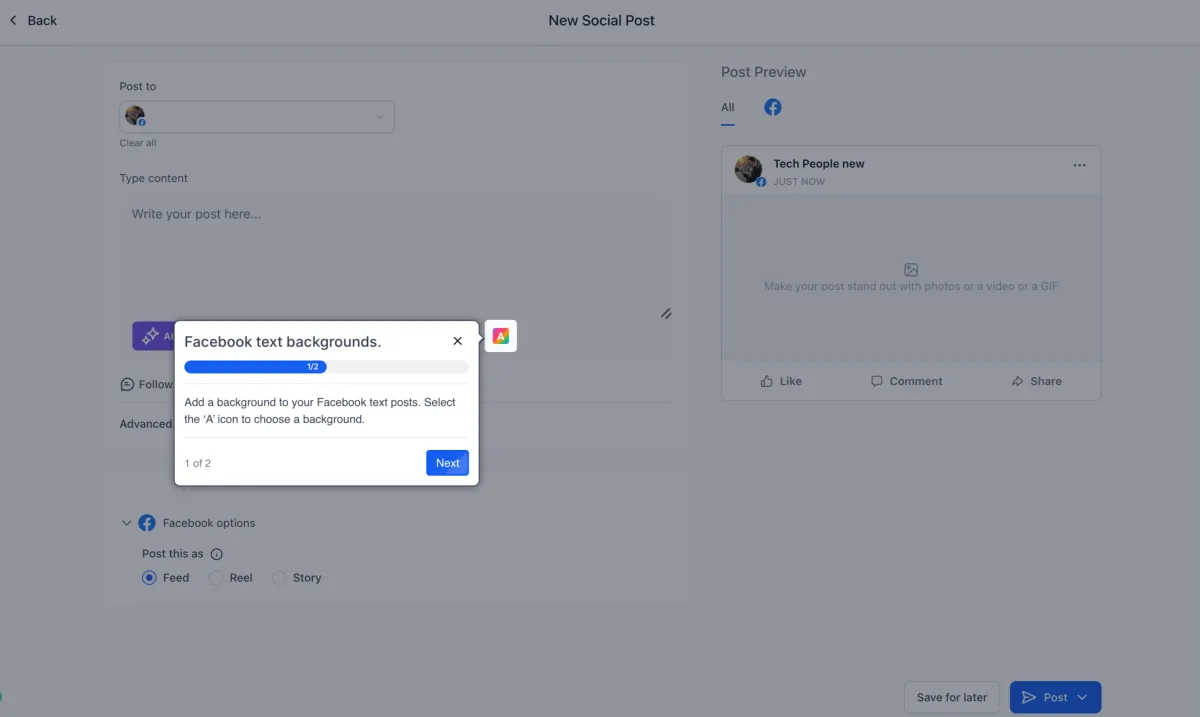
Facebook’s text posts with native coloured backgrounds previously had to be created in Facebook itself. Select Facebook in the post composer and a Text Background option now appears, with colour presets and a live Facebook-style preview showing exactly how the post will look, including automatic font resizing based on text length. Backgrounds apply to text-only posts, so adding an image or video disables the option, and editing a scheduled post to add media removes the background without disturbing anything else. Works for both immediate publishing and scheduling. More detail

Social Planner: Pinterest Multi-Board Publishing
One pin can now go to as many as 25 boards on a Pinterest account in a single post, instead of creating a separate post per board. Select the boards in the composer under Marketing, Social Planner, New Post. Pinterest’s own requirements are unchanged: one image up to 10MB in PNG or JPG, or one video up to 1GB in MOV, MP4 or WEBP, between four seconds and five minutes. More detail
Blog Editor: Captions, Bulk Keywords and Image Actions
Three additions to the blog editor. Images can now carry captions below them, which is useful for attribution, context and accessibility. SEO keywords can be pasted in as a comma-separated list and are converted into individual keyword chips, replacing the one-at-a-time entry that made keyword work tedious. And images already placed in a post get better controls for replacing, repositioning and managing them. Found under Sites, Blogs. More detail
Reporting
Twenty-Two New Widgets for Service and Rental Bookings
Dashboard reporting covered meeting-type calendar appointments and very little else, which left service bookings and rentals with almost no native reporting. Eleven new service widgets cover service revenue and revenue by staff member, coupon performance including redemptions and top codes, staff rankings by bookings or revenue, location-level breakdowns, and appointment counts by service and service category. Eleven rental widgets cover rental revenue, inventory status across available, booked and overdue, deposit amounts collected, and the booking lifecycle from upcoming through active, overdue and unconfirmed.
All 37 appointment widgets are now grouped under a single Appointments module in the widget library. Note that the existing Appointment Count widgets under Meetings now count meetings only, with service and rental bookings carrying their own count widgets. Available in both dashboards and custom reports, provided appointment services or rentals are enabled on the account. If you have been exporting booking data to a spreadsheet to work out which services actually make money, this replaces that. More detail
Courses
Kollab App: Live Sessions Inside Courses
Members enrolled in a course that includes live sessions can now join them inside the Kollab mobile app rather than leaving for a browser. Video lessons, community and live events sit in one place on the phone, which is where most members consume this content. It arrives with the broader app rebuild, which cut load times from around 20 seconds to under two, reached 98 per cent crash-free sessions, sped up image and video playback and added real-time push notifications. More detail
Admin
Legacy API Keys Expire After 90 Days of Inactivity
Legacy v1 API keys unused for 90 days are now deleted automatically, in a quarterly cleanup. It is a security measure: dormant keys are a standing risk for unauthorised access and SMS pumping fraud. Admins get in-app notifications at 15, 7 and 1 day before deletion, an email 15 days ahead listing every affected key, and a banner 24 hours before. API v1 is out of support, so anything still running on it should move to v2. More detail
That is the stretch. Missed the last one? Catch up on the 27 April - 10 May updates.
Already a Clientflow client? If you want to know more about any of these features, or would like them deployed in your account, get in touch with your usual contact on the Clientflow team.
Not yet a client? Book a call with the team, or see the full feature set on the platform capabilities page.
Clientflow is built on the HighLevel platform, delivered with Australian onboarding, support and expert implementation. Read how that works on our GoHighLevel Australia page.


