
Clientflow Platform Updates: 1-18 January 2026
The first fortnight of January brought 23 updates to the platform. The standouts: Meta ad campaigns can now be published for Australian audiences directly from Ad Manager, missed calls can trigger an automatic WhatsApp reply with no workflow required, and the AI chat bots can now read and respond to images your customers send. Here is the full rundown.
Advertising and marketing
Meta Ad Manager now supports Australian campaigns
This is the big one for local businesses. Ad Manager previously blocked campaign publishing for Australian audiences due to Meta’s regulated category restrictions - you would hit a warning banner and a dead end. That restriction has been removed. You can now select Australia (along with Singapore and Taiwan) in your geographic targeting and launch Meta campaigns directly from Clientflow, no workarounds needed. More detail
Form tracking captures every field type
The external tracking script now captures far more than name and email when recording form submissions. It detects and maps text fields, dropdowns, checkboxes, radio buttons, ratings, number and monetary fields, date pickers, and file upload metadata. Anything it cannot match is stored as an unmapped field so you can identify and fix the mapping. Hidden and disabled fields are excluded. More detail
Missed a call? WhatsApp replies for you
When your business misses a phone call, Clientflow can now send the caller a WhatsApp message automatically - no workflow setup required. Switch it on under Settings, then Phone System, then Voice, then Missed Call Text Back. It ships with a pre-approved template ready to use: “Hi, this is [business name], I saw that we just missed your call. How can I help?” You can customise it with variables including agent name, booking link and business hours, and it runs alongside any missed-call workflows you already have. More detail
WhatsApp media kept for a full year
Photos, videos, PDFs and documents shared in WhatsApp conversations are now stored in your account for up to 12 months. WhatsApp’s own limits (7 days inbound, 30 days outbound) previously caused files to vanish from conversation history. Nothing to configure - retention is automatic. A new Add to Documents option also saves any WhatsApp attachment straight to the contact’s Documents folder in one click. More detail
Booking details in WhatsApp templates
WhatsApp templates can now include service booking variables - appointment date, service name, location, staff member - without building a workflow first. That makes appointment confirmations and reminders over WhatsApp much quicker to set up.
Attach library media to WhatsApp templates
When building WhatsApp templates with images, video or documents, you can now pick files directly from your media library instead of uploading them each time. Faster, and your templates stay consistent with existing brand assets. More detail
Conversations and phone
Pre-filled messages in chat widgets
Chat widgets can now show default text in the visitor’s message box - something like “Hi, I’d like to ask about…” - which the visitor can edit or send as-is. It works across WhatsApp, Email/SMS, All-in-One Chat and Voice AI widgets, supports merge fields, and allows up to 255 characters. Visitor contact details are stored privately in the CRM rather than in the chat transcript. Setup guide
Sound alerts for incoming chats

The chat widget now includes a notification sound toggle. When on (the default), visitors hear an audio alert and see the browser tab title update when a new message arrives. Turn it off for a quieter experience - the setting is controlled per account. More detail
Forward emails without leaving the platform
Inbound emails in Conversations can now be forwarded to any external recipient directly from the inbox. The forward preserves the original formatting, inline images and attachments, the event is logged in the conversation timeline, and replies route back into the same thread when two-way sync is active. Setup guide
Mobile app: your outbound number sticks
The mobile app now remembers which outbound phone number you selected, instead of resetting after every call. Your choice persists until you log out. Local Presence Dialling is unaffected. Available in the Clientflow mobile app v4.5.0 and above. More detail
Mobile app: log call outcomes on the spot

Call dispositions (Follow Up, Qualified, and any custom outcomes you define) can now be selected right from the call end screen on iOS and Android. Dispositions fire workflow triggers, so a tap on your phone can send the follow-up, create the task or move the deal. More detail
AI
The chat bots can now see images
Conversation AI bots can read and respond to images customers send - product photos, screenshots, receipts, documents - with support for multiple images in a single exchange. It works across Live Chat, Facebook Messenger, Instagram, WhatsApp and SMS. This one is enabled through Labs; contact us and we will switch it on for your account. More detail
Smarter AI workflow actions, clearer names

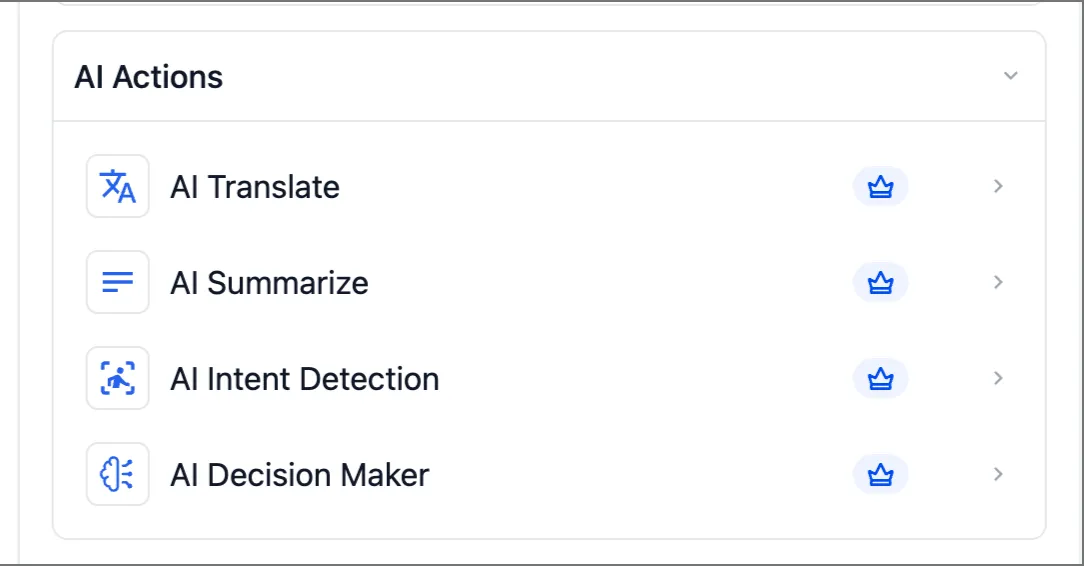
The AI model behind all workflow AI actions (Translate, Summarise, Intent Detection, Decision Maker) has been upgraded: better translations that hold tone, sharper summaries and more accurate decisions. The actions have also been renamed and reorganised so they are quicker to find. Existing workflows benefit automatically - no changes needed. More detail
Automation
Contracts that send themselves
Workflows can now generate and send contracts for e-signing based on workflow logic and contact data. Deal hits a pipeline stage, the right contract template goes out with fields populated from contact and opportunity data. No manual step in between. Setup guide
Formatted notes from workflows
The Add Notes workflow action now supports rich text, optional titles and colour coding, matching the updated Contacts notes experience. Existing workflows continue unchanged; the new fields are optional. More detail
Custom values in calendar and service settings
Custom values can now be used inside calendar and service configuration fields, so dynamic content such as location details or business information flows through automatically rather than being retyped across setups. Setup guide
Websites, funnels and forms
Funnel and website AI rebuilt for design quality

The AI page generation engine has been substantially rebuilt around a multi-stage pipeline: it plans the design the way a designer would (background systems, accent treatments, visual rhythm), applies tailored treatments per section type (heroes, CTAs, FAQs, pricing, testimonials), and includes a much stronger image pipeline with cutout and collage compositions. A Clone with Changes flow applies your customisation requests when duplicating pages. More detail
You can also now describe what you want to build by voice instead of typing.
Forms and surveys: settings in a side tray
Element settings in the forms and surveys builder now open in a side tray, so you configure fields without navigating away from the canvas.
A more polished mobile shopping experience
A batch of mobile UX improvements landed for online store pages: cleaner product rating display, a redesigned sort and filter section, an improved review modal, a refined cart drawer and cart page, an accordion order summary at checkout, and a repositioned coupon field. More detail
Payments
PayPal connects without API keys
Connecting PayPal no longer involves hunting down API credentials. The new keyless OAuth integration connects your PayPal account in a few clicks via a redirect. It also enables Venmo and Pay Later options at checkout where available. Existing connections can switch by choosing Reconnect in the PayPal integration settings. More detail
CRM
Calendly bookings now sync phone numbers
If you take bookings through Calendly, guest phone numbers now sync to the contact record. Where the Calendly form has a phone field, a mapping screen lets you choose which source to use; where the number only appears in the meeting location field, it syncs automatically. Setup guide
That is the fortnight.
Already a Clientflow client? If you want to know more about any of these features, or would like them deployed in your account, get in touch with your usual contact on the Clientflow team.
Not yet a client? Book a call with the team, or see the full feature set on the platform capabilities page.
Clientflow is built on the HighLevel platform, delivered with Australian onboarding, support and expert implementation. Read how that works on our GoHighLevel Australia page.


