
AI Receptionist Australia: What Clientflow's Voice AI Does
An AI receptionist is a voice agent that answers your business phone, holds a real conversation and books, reschedules or cancels the appointment before hanging up. Clientflow includes Voice AI in its flat $345 per month platform, with call time at US$0.032 a minute plus carrier cost, so you pay for minutes answered rather than a retainer plus per-call fees.
Your phone rings while you are up a ladder, under a house or three suburbs away in traffic. You cannot answer it. The caller leaves no message, because hardly anyone does now, and by the time you ring back at six they have called the next name on their list.
Sixty-two per cent of enquiries go unanswered within five minutes. In property services the business that picks up first usually gets the job, which is why Response sits second in the Core 5 Marketing Automations.
The conventional answer is a human virtual receptionist service. In Australia those run from about $25 to $250 a month for the subscription, indicative and ex GST, with per-call fees on top. That holds up at low volume. The wall arrives when the phone gets busy, because the per-call fees scale with your good months. Here is what the AI receptionist inside Clientflow does.
Setting the agent up before it answers a single call
The Voice AI agent builder is a full-screen, three-panel workspace. Prompt editor, call settings, voice settings, knowledge bases, actions and a live test console sit on one screen, so you can change a line in the prompt, adjust a setting and place a real test call without moving between tabs. The 50-plus configuration options are grouped into collapsible sections.
Testing a voice agent prompt used to mean letting real callers find the problems. The Prompt Optimiser reads your agent’s prompt, language, call direction and configured actions, generates realistic test scenarios, then runs actual voice calls against a clone rather than the live agent. Each call is scored against the expected outcome, and where calls fail it writes an optimised variation of the prompt and tests that too. You apply the new prompt only when the results satisfy you.
What the agent knows about your business
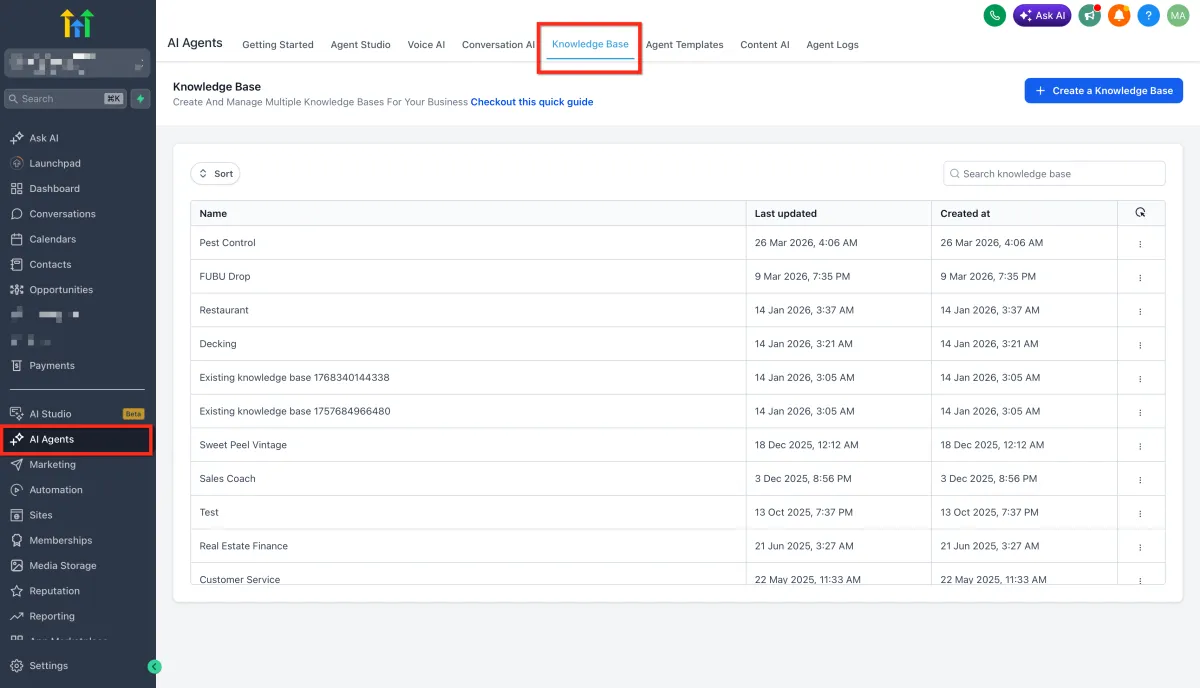
An AI receptionist is only as good as the material behind it. The knowledge base feeding both Voice AI and Conversation AI takes a CSV of up to 50,000 rows and answers natural-language questions about the data in it, citing the rows behind each answer so you can check them.
For anything that changes, connect a Google Sheet instead, under AI Agents, Knowledge Base, Tables, Import from Google Sheets. It syncs about every 15 minutes, picking up new rows, edited cells and added or removed columns, and a manual refresh forces it immediately.

If your service list, callout fees or suburb coverage move around, that sheet becomes the source of truth and the agent follows it without anyone re-uploading anything.
The agent can also reach outside the platform while the caller is on the line. Custom Actions make POST webhook calls mid-conversation, passing parameters the agent picked up from what the caller said, such as a name, an email address or a job number. That covers live record lookups, checking the status of a job or updating another system, none of which was possible until the call had ended.
How the call sounds to the person on the other end
The most common complaint about AI phone agents is that they either talk over you or leave dead air. The agent now applies better logic to tell a caller pausing mid-thought, where the right move is to wait, from a genuine lull, where the right move is to speak. That one behaviour decides whether people stay on the line.
Voice AI covers more than 27 languages with regional accent variations, and Conversation AI detects the language of an inbound message and replies in kind. For a property manager with tenants who would rather not make a maintenance request in English, that is practical rather than decorative.
A voice model picker lets you choose which model powers an agent, weighing voice quality against response latency and per-minute cost, or leave it on Auto to pick the best compatible model for the language. The built-in library runs to more than 340 voices across 54 languages, and up to ten custom voices can be imported from ElevenLabs by copying the Voice ID into the My Voices tab, at no additional cost.
Getting the caller to the right person
No sensible AI receptionist handles everything, so the handover is what matters.
Between agents
A live call can be handed from one voice agent to another without the caller being disconnected or asked to ring a different number. The primary agent listens for natural-language conditions, a caller asking about pricing or switching language, and routes the conversation to the right specialist agent mid-call. Each primary agent connects to three destination agents, and a spoken handoff message tells the caller what is happening. Summaries, transcripts and extracted data are merged across every agent involved, so downstream automation receives the whole conversation rather than the last leg of it.
To a human
A live call can be transferred to a team member who has no personal phone number configured, by ringing whatever devices they do have. The web app, a mobile and a SIP desk phone all ring at once, and warm and blind transfers are both supported.

Two limits are worth knowing: re-transferring an already-transferred call is not supported, and staff without configured devices do not appear in the transfer list. On deskphone setups you can also transfer by dialling a teammate’s extension mid-call.
Two routing settings sit alongside this. A user can receive inbound calls only during their working hours, with anything outside them going to the number’s backup destination: switch on “Only ring during working hours” under Settings, My Profile. And calls from withheld numbers can be captured under Phone System, Voice, Other Settings, Inbound Calls, Allow Private Calls, with the contact saved and tagged “private phone number” so the enquiry joins your normal follow-up instead of disappearing.
Booking the job while they are still on the line
A message taken at 7pm still needs someone to ring back. A booking made at 7pm is a job.
Both the voice agents and the chat agents book directly into your Services calendars. The caller describes what they need, the agent checks live availability, offers times and confirms, with no manual step afterwards. It works in reverse too: if the contact wants to move an appointment or cancel one, the agent handles that in the same conversation rather than leaving a message for someone to action in the morning.
Conversation AI does the same across SMS, live chat, Facebook, Instagram and WhatsApp, and one bot can book across several calendars with a fallback for anything that does not match your rules.
What you get after the call ends
Recorded inbound and outbound calls are transcribed automatically, with the transcript attached to the conversation. Switch on Call Transcription under Settings, Phone Numbers, Advanced Settings, Voice Calls. Nobody has to relisten to a 20-minute call to find one detail.
Those transcripts are then readable by automation. The AI Agent workflow action reads a contact’s call transcripts with no configuration: you reference them in the prompt, along the lines of “review this contact’s call transcripts and summarise their main concerns”.

Combined with the conversation history the same action already reads, an agent draws on both written threads and phone calls when deciding what to send next. A follow-up that references what was actually discussed on the phone reads very differently from a template.
The Voice AI dashboard tracks calls completed, call trends, duration, actions triggered and sentiment analysis, and those numbers arrive as a weekly email digest so you find out how the agent is performing without remembering to look.
The same conversation on your website
Visitors to your website or funnel can speak with a Voice AI agent in real time using their browser microphone, with no phone call and no download. Create a chat widget, select Voice AI as the type, assign an agent and embed the code; built-in reCAPTCHA keeps bots out. Ask your Clientflow contact if you want it added to your site.
The Prompt Optimiser covers these chat agents too, running real conversations against a cloned copy and rewriting the prompts where they fail. Two caveats: real actions do execute during testing, and the evaluation scores are directional rather than precise.

What an AI receptionist costs against a virtual receptionist
Voice AI is part of the platform rather than a separate product with its own subscription. Clientflow is AUD $345 per month including GST, flat, with unlimited users and contacts, or $3,450 per year, twelve months for the price of ten. Everything above is included, and the full pricing sets out what else is.
Call time is charged on usage, and it is worth stating plainly because it is the number that decides whether this beats a human service for you. Voice AI runs at US$0.032 per minute. The call itself goes to Twilio at carrier cost with no markup, which for an inbound call on an Australian local number is AUD $0.01 per minute. Two hundred calls a month averaging three minutes each is 600 answered minutes: roughly US$19 of Voice AI time, plus about $6 in call charges.
Set that against a virtual receptionist service starting at $25 to $250 a month for the subscription alone, ex GST, with per-call fees on top. The subscription is the part you can compare on a spreadsheet. The per-call fees are the part that moves, in exactly the direction you were hoping your marketing would take them.
The comparison people usually miss is the other one. A five-user Australian services business running the equivalent scattered stack, a CRM plus an email tool plus a scheduler plus a receptionist service, is looking at roughly $2,300 to $2,600 a month on our estimate. Consolidating that into one platform is where the arithmetic gets interesting. Setup is covered too: white-glove onboarding includes data migration, five hours of one-to-one setup and fortnightly live group training, and expert implementation runs at $25 per hour, against the $150 to $300 an hour Australian consultants typically charge.
What this looks like in practice
Marcus runs a six-person building inspection business in Brisbane’s northern suburbs. Four inspectors are on site most of the day, and the office phone used to go to voicemail from about 8.30am.
He builds one Voice AI agent, with a knowledge base pointed at a Google Sheet holding his inspection types, turnaround times, suburb coverage and pricing. When his fees change in July he edits the sheet and the agent has the new numbers within about 15 minutes. Before going live he runs the Prompt Optimiser, which places real test calls against a clone. Two fail on the difference between pre-purchase and pre-sale inspections, so he applies the rewritten prompt and tests again.
A caller rings at 11.40am about a pre-purchase inspection in Chermside. The agent answers on the first ring, confirms the property type, quotes from the sheet and captures a name and email. It checks the inspection calendar, offers Thursday morning or Friday afternoon, and books the Thursday slot. Asked about defect liability, it transfers to Marcus’s technical agent with a spoken handoff.
By 11.48am the call has ended, the appointment is in the diary and the transcript is attached to the contact, and a workflow sends a confirmation referencing what was discussed. On Wednesday the caller rings back because settlement has moved, and the agent reschedules to the following Tuesday without anyone at Marcus’s end touching it. Marcus reads the weekly digest on Monday.
Frequently asked questions
What is an AI receptionist and how does it work?
An AI receptionist is a voice agent that answers your business phone and holds a spoken conversation with the caller. In Clientflow it is called Voice AI. You write a prompt describing how it should behave, connect a knowledge base holding your services, prices and policies, and give it actions. It gathers details, books or moves appointments, transfers where needed and produces a transcript.
How much does an AI receptionist cost in Australia?
Clientflow is AUD $345 per month including GST, flat, and Voice AI is part of the platform rather than sold separately. Call time is US$0.032 per minute, with the call itself going to Twilio at carrier cost, AUD $0.01 per minute inbound on an Australian local number. Six hundred answered minutes is roughly US$19 plus about $6. Australian virtual receptionist services typically charge an indicative $25 to $250 a month for the subscription, ex GST, with per-call fees on top.
Can an AI receptionist transfer a call to a real person?
Yes. A live call can be transferred to a teammate by ringing every device they have configured at once, covering the web app, a mobile and a SIP desk phone, with warm and blind transfers both supported. Re-transferring an already-transferred call is not supported. On deskphone setups you can transfer by dialling an extension.
Can the AI book appointments?
Yes, and it can move or cancel them too. Both the voice agents and the chat agents book directly into your Services calendars: the agent checks live availability, offers times and confirms, with no manual step afterwards. If the contact asks to reschedule or cancel, that is handled in the same conversation. Conversation AI does this across SMS, live chat, Facebook, Instagram and WhatsApp, and one bot can route bookings across several calendars.
What languages can the AI receptionist speak?
Voice AI covers more than 27 languages with regional accent variations. You choose which voice model powers the agent, weighing voice quality against response latency and per-minute cost, or leave it on Auto. The built-in library holds more than 340 voices across 54 languages, and up to ten custom voices can be imported from ElevenLabs at no extra cost.
What happens to the details someone gives on the phone?
Recorded calls are transcribed automatically and the transcript attaches to the conversation, once Call Transcription is switched on under Settings, Phone Numbers, Advanced Settings, Voice Calls. Where a call passes between agents, summaries, transcripts and extracted data are merged so downstream automation gets the whole conversation. See how that fits a pipeline on our buyers agent CRM page.
Already a Clientflow client? If you want any of this set up in your account, or want to know whether it suits how you work, get in touch with your usual contact on the Clientflow team.
Not yet a client? Book a call with the team, or see the full feature set on the platform capabilities page.
Clientflow is built on the HighLevel platform, delivered with Australian onboarding, support and expert implementation. Read how that works on our GoHighLevel Australia page.


